CREATE / VIDEO GENERATION

A still idea.
A sense of motion.

Make your next scene with Seedance 2.5, MiniMax H3, Gemini Omni, Kling, Veo or Runway. Begin with a prompt or supported references, then carry your selected takes into the edit.

Request access
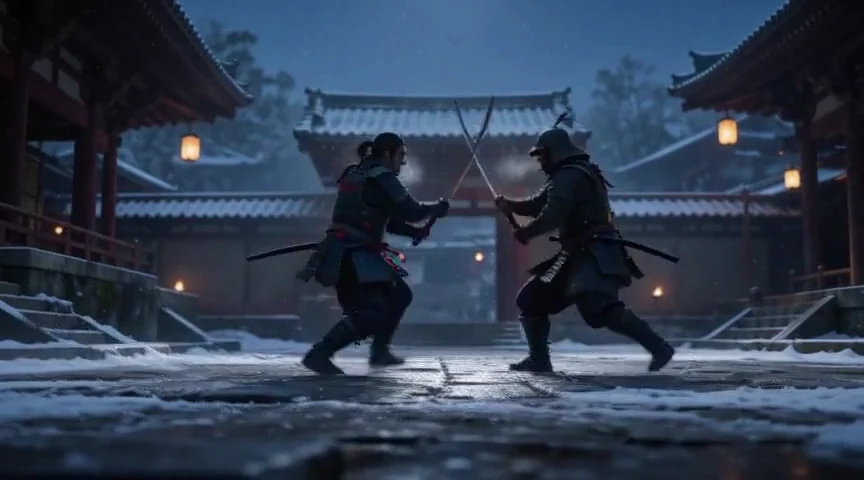
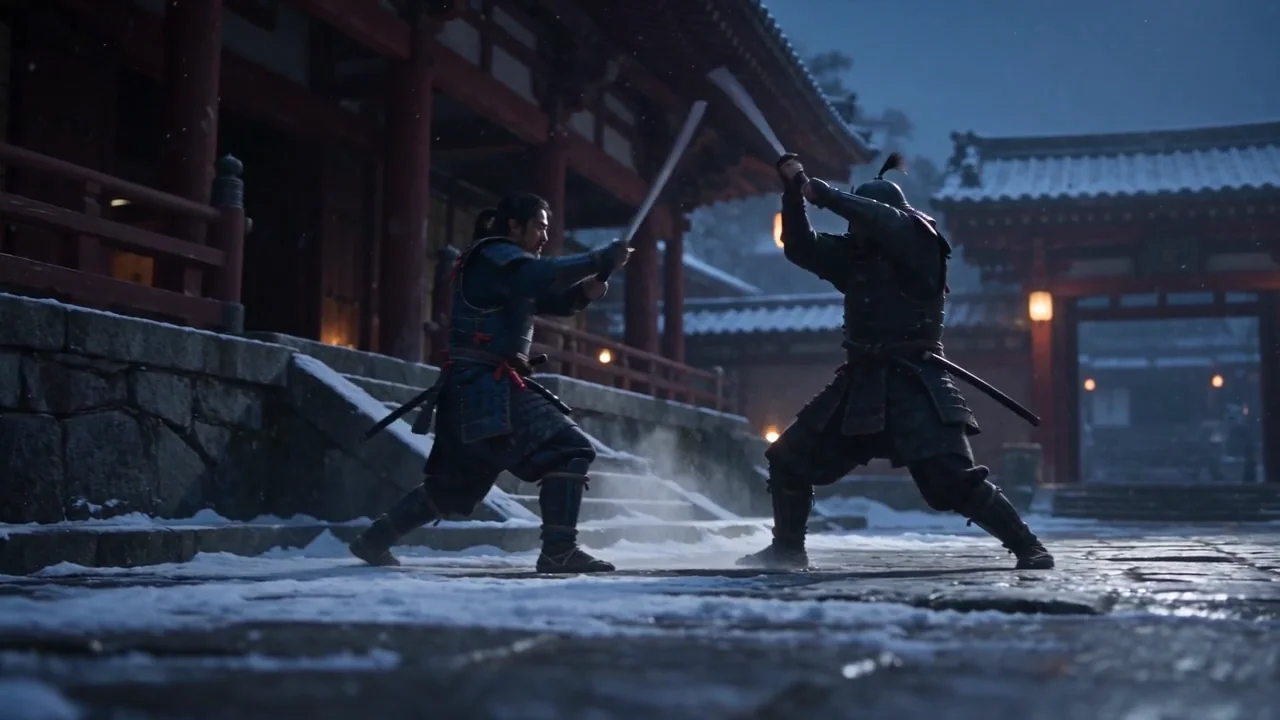
Samurai crossing swords in a snowy courtyard beside a row of lanterns
The last gate15 SEC / MADE IN ASTRA
Two samurai advance across a snowy courtyard framed by lanterns. Their blades meet in bright sparks. They withdraw to either side of the gate with their swords ready.

ONE DIRECTION / TWO INTERPRETATIONS

Same scene.
Different motion.

A samurai in the snow. A ninja above the city. For each scene, two models work from the same opening image, prompt and fifteen-second brief. Compare the movement, continuity and style.

Create your next scene
01 / CINEMATIC REALISM

The last gate

LOCAL GENERATIONMiniMax H3
15.1s · 864 × 480
Two samurai locked in a close sword exchange before a snowy gate
Two samurai trade close sword strikes in a snowy courtyard. One lunges and the other blocks as they stay in front of the lantern-lit gate.
CLOUD GENERATIONSeedance 2.5
15.0s · 1280 × 720
Samurai crossing swords in a snowy courtyard beside a row of lanterns
Two samurai advance across a snowy courtyard framed by lanterns. Their blades meet in bright sparks. They withdraw to either side of the gate with their swords ready.

Same opening frame. Same prompt.
Two actual outputs made in Astra.

See the shared prompt

Animate the supplied first frame. Preserve both fighters, their identities, costumes, the location and the visual style throughout. Create a premium photorealistic historical action-film scene, fifteen seconds of continuous, clearly readable sword-fight choreography. Snowy stone courtyard outside a red temple gate, warm lanterns, deep blue winter dusk. Exactly two adult fighters: the reference samurai and a distinct opponent in plain charcoal armor and a closed helmet. Start in a medium-wide full-body two-shot with both already moving, not a portrait. Seconds 0–4: the opponent advances with two fast slashes; the samurai blocks each and steps diagonally across the wet stones. Seconds 4–10: they trade a fluid sequence of controlled blade clashes, parries and a low duck, traveling sideways through the courtyard; snow sprays under their feet and tiny sparks appear only where the steel meets. Seconds 10–15: the samurai turns past the next strike, knocks the opposing blade aside, and both recover into balanced opposing stances as falling snow fills the space between them. Smooth low lateral tracking camera, one continuous shot, normal speed, precise grounded footwork, clear silhouettes, visible hands holding solid swords, consistent anatomy and costume, physically coherent contact and momentum. Rich tactile materials, restrained cinematic contrast, realistic breath in cold air. No long static pose, no slow motion, no frantic cuts, no teleporting, no extra fighters, no duplicate limbs, no blade passing through a body, no blood, injury or gore. No text, logos, dialogue or music. Subtle wind and steel sounds only.

01 / CHARACTER DIRECTION

The last snowfallCharactersMADE IN ASTRA

02 / THE OPENING FRAME

The last gate / opening frameAction / character framesMADE IN ASTRA

Character artwork becomes a scene.
The scene becomes the film.
02 / ANIME IN MOTION

Across the moonlit roofs

LOCAL GENERATIONMiniMax H3
15.1s · 864 × 480
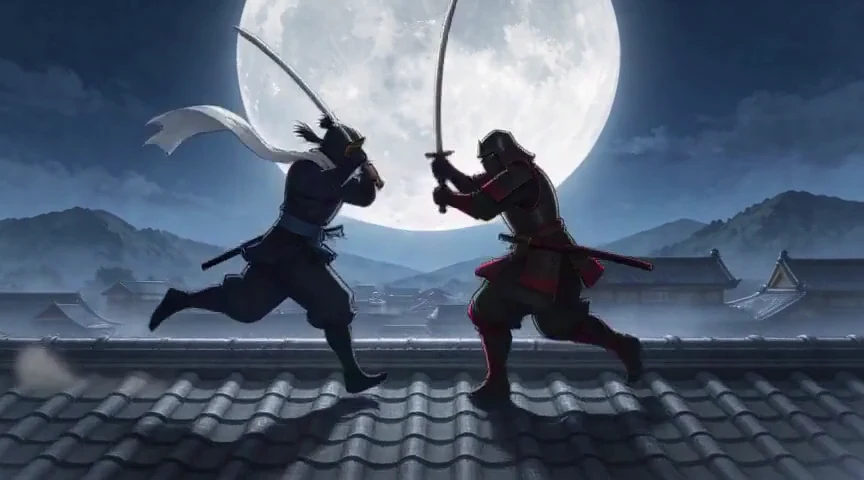
Anime sword fighters jumping toward each other above a tiled roof
Two animated fighters cross swords against a full moon. The fighter in red leaps above a roof ridge, then both land and pull apart as dust rolls over the tiles.
CLOUD GENERATIONSeedance 2.5
15.0s · 1280 × 720
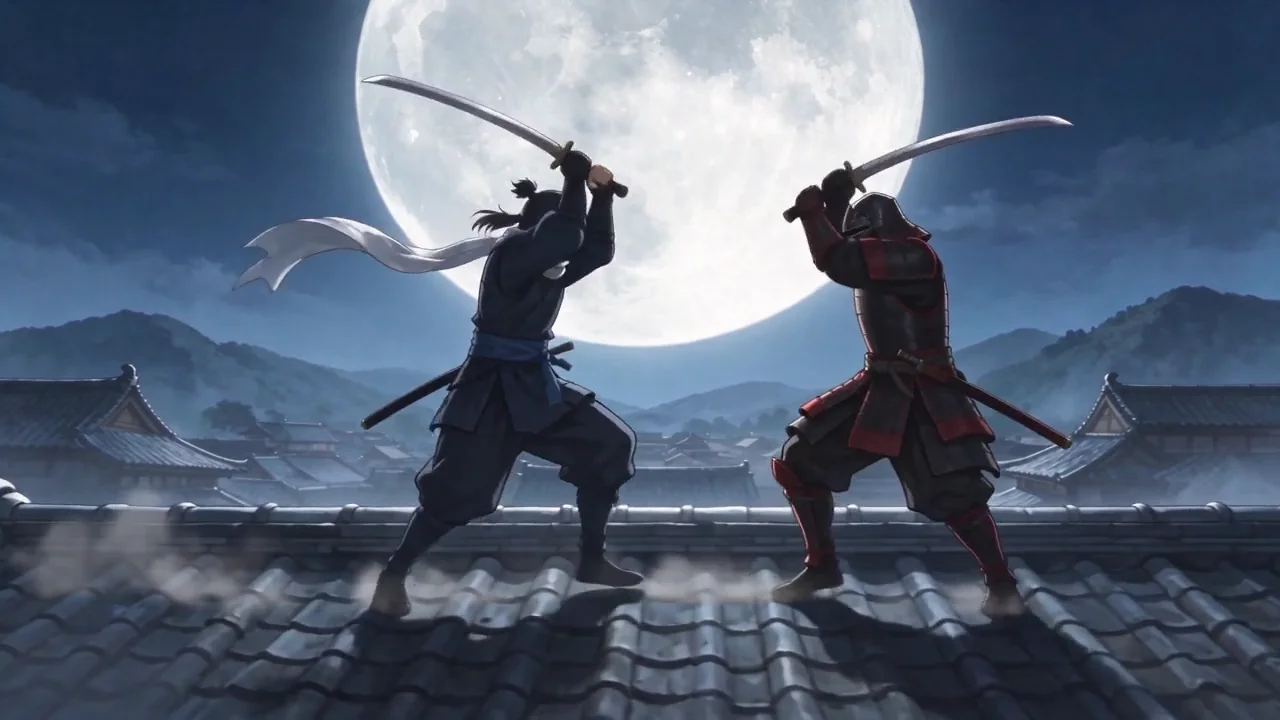
Two anime sword fighters on a tiled roof with a full moon behind them
Two animated sword fighters rush toward each other on a tiled roof. A white-scarfed fighter leaps in front of the full moon while the red-clad opponent braces below. Both return to the roof and face each other amid dust.

Same opening frame. Same prompt.
Two actual outputs made in Astra.

See the shared prompt

Animate the supplied first frame. Preserve both fighters, their identities, costumes, the location and the visual style throughout. Create an exceptional fifteen-second cinematic anime action sequence with refined hand-drawn linework, painterly night backgrounds and expressive, clean cel animation. One original ninja faces one distinct adult rival in crimson-and-black armor on the broad tiled roofs of an old mountain city under a huge moon. No existing franchise characters. Begin immediately with both fighters in a readable full-body wide shot. Seconds 0–4: they run toward each other along a roof ridge and exchange two sharp sword parries; the pale scarf traces the movement. Seconds 4–9: the ninja ducks a sweeping strike, pivots into a controlled kick that pushes the rival back, and vaults a low roof beam; the rival follows with a short grounded leap. Seconds 9–13: they meet on the next broad roof, exchange three fast blade clashes with brief gold sparks, then separate. Seconds 13–15: both land firmly in opposing ready stances, moonlight catching the scarf as loose roof dust settles. Camera tracks sideways with the action, keeping both figures and their feet legible. Energetic real-time choreography, two characters only, consistent faces and outfits, natural gravity and deliberate impact poses, elegant dark-blue, silver and crimson palette. Single coherent scene, no static character sheet, no split-screen, no extra heads or limbs, no melting weapons, no random camera spin, no looping movement, no blood, injuries or gore. No lettering, subtitles, logos, dialogue or music.

01 / CHARACTER DIRECTION

Above the clouds / anime character studyCharacter sheetsMADE IN ASTRA

02 / THE OPENING FRAME

Across the moonlit roofs / opening frameAnime / character framesMADE IN ASTRA

Character artwork becomes a scene.
The scene becomes the film.
Actual Astra outputs · MiniMax H3 Keyframes (local) and Seedance 2.5 (cloud). The native dimensions are shown with each film. These individual creative examples share a prompt and opening frame. Both website edits are silent.

AUDIO REFERENCES / MADE IN ASTRA

Start with a sound.
Discover a scene.

Direction can begin before the first frame. We made these sounds in Astra, then used each one as a reference for a new film.

Explore video creation
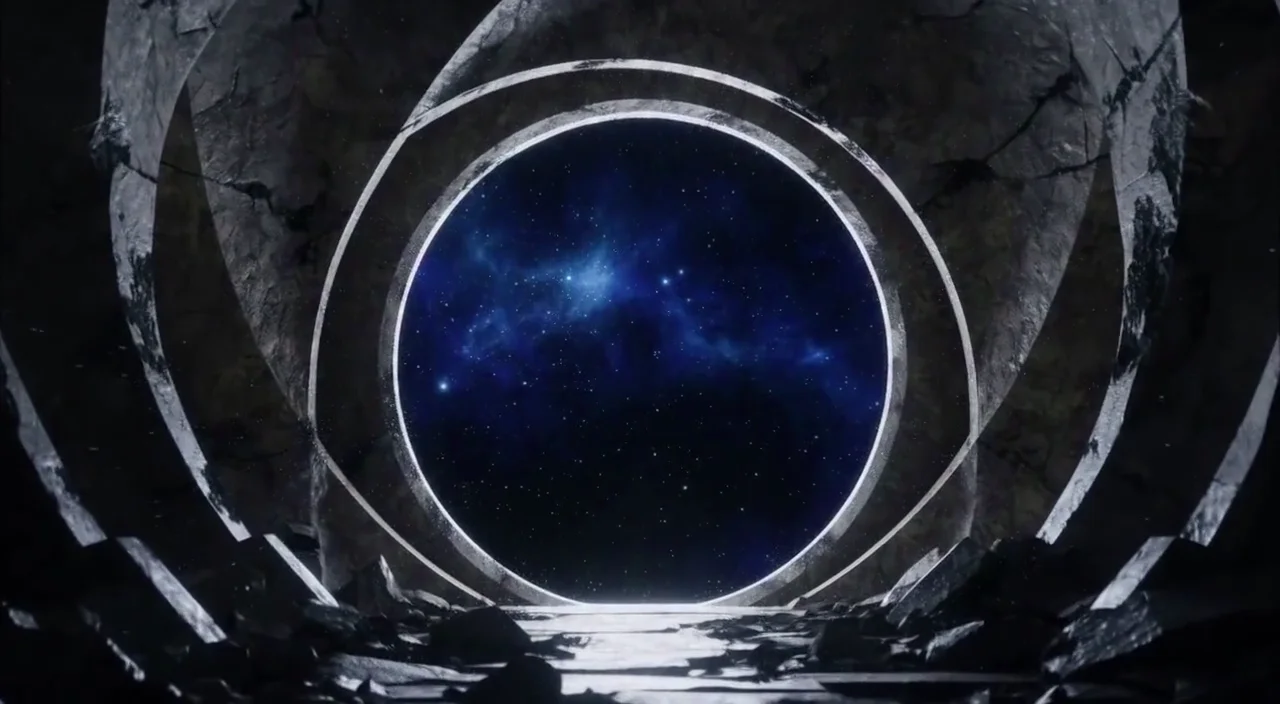
Luminous circular portal filled with blue stars in a dark stone chamber
A door to somewhere else.05 SEC / MADE IN ASTRA
A faint ring appears in a dark rocky chamber. Its edges light up one by one, revealing a round opening filled with a blue star field.
01 / THE SOUND

Electrical rise. Crystalline shimmer.

Original sound effect created in Astra with Stable Audio 3 Small SFX.

Audio 1MiniMax H3
02 / THE DIRECTION

Use <Audio 1> as the sound and timing reference. Create a cinematic close-up of a circular portal forming in the center of a vast dark stone chamber.

03 / THE RESULT

A luminous portal takes shape in a dark stone chamber. The sound above was attached as an audio reference to this video generation in Astra.

Actual local MiniMax H3 reference generations. Source sounds and video results are separate outputs; conditioning does not guarantee exact sound reproduction or timing. Video previews are silent. Listening to a source sound also starts its visual preview when motion is enabled.

INSIDE THE WORKFLOW

Make more of
what you already know.

01

A choice of creative engines.

Explore Seedance 2.5, MiniMax H3, Gemini Omni, Kling, Veo and Runway in the connected catalog.

02

Start with direction.

Use a prompt and the reference inputs supported by your selected model.

03

A scene can keep going.

Astra includes video continuation and local person or background replacement workflows where enabled.

04

Bring the takes together.

Save selected clips to a project, sequence them in storyboards and finish in the video editor.

THE WORKFLOW

A take with a clear direction.

A short visual moment chosen for its movement, continuity and place in the wider story.

  1. 01

    Choose a strong starting point.

    Use an image and brief that already communicate the subject and setting.

  2. 02

    Direct the movement.

    Describe the camera behavior and the change within the scene. Avoid asking a short take to do too many different jobs.

  3. 03

    Use a supported workflow.

    Select an available model and compatible inputs. Duration, resolution and generation behavior depend on the provider.

  4. 04

    Review the whole take.

    Watch for unstable details, unintended movement and weak openings or endings. Keep the moments that serve the sequence.

PUT IT TO WORK

Start with
a real need.

An opening moment

Reveal the setting before the story moves closer.

A controlled detail

Use movement to guide attention to a deliberate part of the composition.

A sequence building block

Create a take that has a specific role in the storyboard and edit.

A PRACTICAL NEXT STEP

Turn one image into a finished video.
YOUR WORK. YOUR IDEAS. YOUR ASTRA.

Your next chapter.
Starts here.

A plan built for makers. Usage across every feature. $99 per month per user.

Request accessExplore the $99 package · Request a demo

Astra product interface

Genuine earlier app screenshot · Sample data

Selected work from Astra