Start with something worth saying
A creator film works when the viewer understands one idea quickly. Decide what the person is introducing, which detail deserves attention and what the viewer should do next. Write the spoken line before animating the face. A short sentence with a natural pause gives the performance a clear shape.
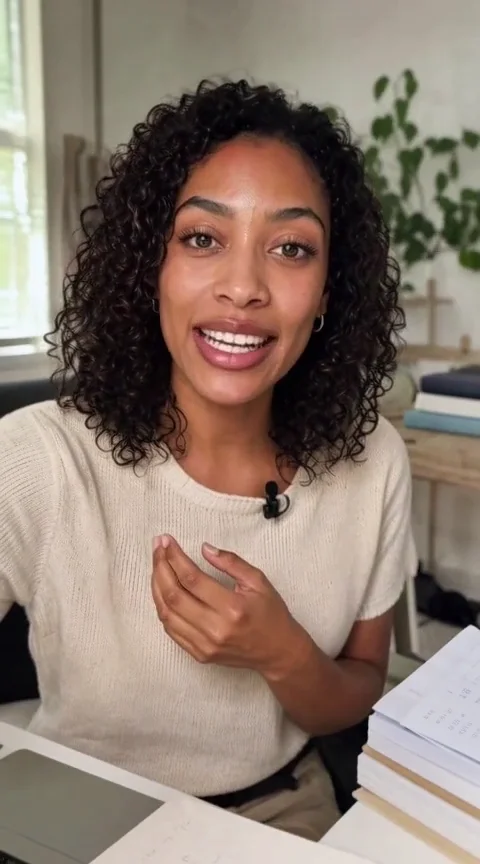
For our fictional creator example, the entire line was: “Ready to share your next idea? Let’s make it happen.” That is a creative demonstration, not a customer testimonial. When making a real product film, replace general promises with details you can substantiate.
Give the image a believable setting
Choose a frame with an unobstructed face, natural light and room for a small gesture. Keep the product easy to identify. A microphone, desk or packing table can explain the scene without crowding it. Inspect hands and the product before asking the image to move; animation can make an existing flaw more obvious.
The Astra example began with a generated creator portrait. Its image was attached as the visual reference for the video. A useful brief asks the model to preserve the face, clothing, background and camera position while introducing a small amount of movement.
Make the voice a reference
We created the spoken line in Astra with the connected Eleven v4 workflow, then supplied the saved recording as an audio reference to local MiniMax H3. The video brief addressed the image as <Picture 1> and the recording as <Audio 1>. Reference support depends on the selected workflow.
Listen to the recording on its own first. A voice that feels rushed or unnatural will not improve simply because a face is moving with it.
Review the words and the performance separately
Watch the whole result for changes in identity, hand shape and product detail. Then check the speech, timing and mouth movement. Audio conditioning does not guarantee exact words or perfect lip synchronization. In the examples on this site, we discarded the raw model speech and used the exact saved Eleven v4 recording as the final voice track.
For a reel, leave space for captions and check the frame on a narrow screen. Keep a silent version useful too: a clear subject and readable captions should carry the idea when the viewer has sound off. The website’s video previews remain silent; the creator showcase provides a separate voice control.